How the Geo Match filter works in the Google Maps Leads Scraper
Geo Match keeps only businesses located where you searched, inside the area or within 10 km of the search point, skipping the others before they reach your output file, so you don't collect or pay for them.
Google Maps often returns businesses from the wrong city, sometimes the wrong country. The Geo Match filter fixes this by keeping only results located where you searched.
What Geo Match does
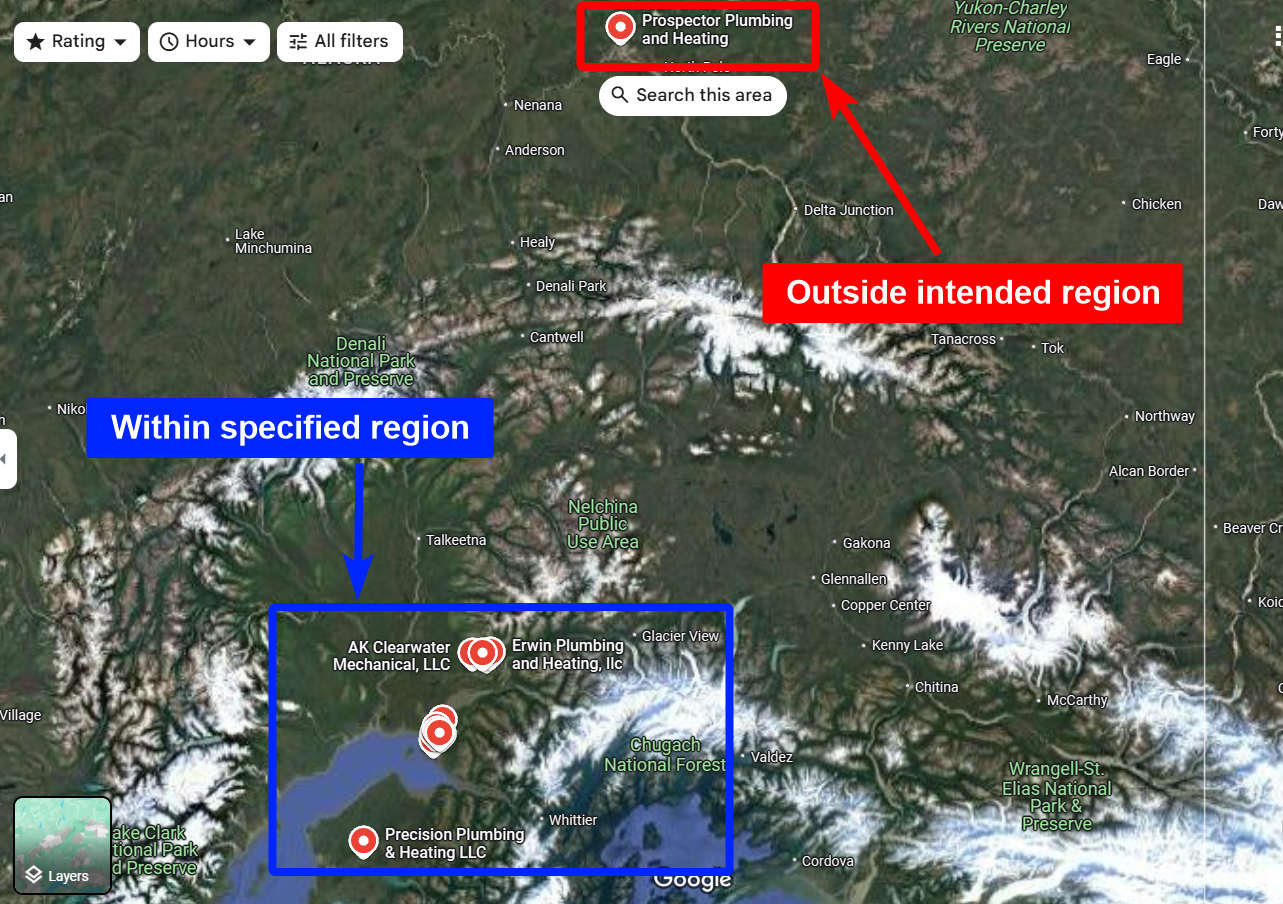
Geo Match checks every business against the location of your task. A business is kept when it is inside the area of an area task, or within 10 km of the search point of the other tasks. Otherwise the scraper skips it and it never appears in your output file.
| Your task | A business is kept when it is |
|---|---|
An area (By area), for example Leicestershire | Inside the area |
A city from the location list (By location), for example Acampo 95220 | Within 10 km of that city's coordinates |
A Google Maps URL (By URL), for example .../maps/search/dentist/@48.8566,2.3522,14z | Within 10 km of the center of the URL (@latitude,longitude) |
The rule is the same in every country. Postal codes are not checked: a business in the next commune, 3 km away, is kept even if its postal code differs, and a business that hides its address is kept if its pin is within 10 km.
Covering a large area
Each search brings back a limited number of places (the Max Results setting). To cover a country, a region or a city, add it By area instead: the scraper searches it map window by map window, and Geo Match keeps the places inside its border. See Search a whole area (Google Maps).
When it runs
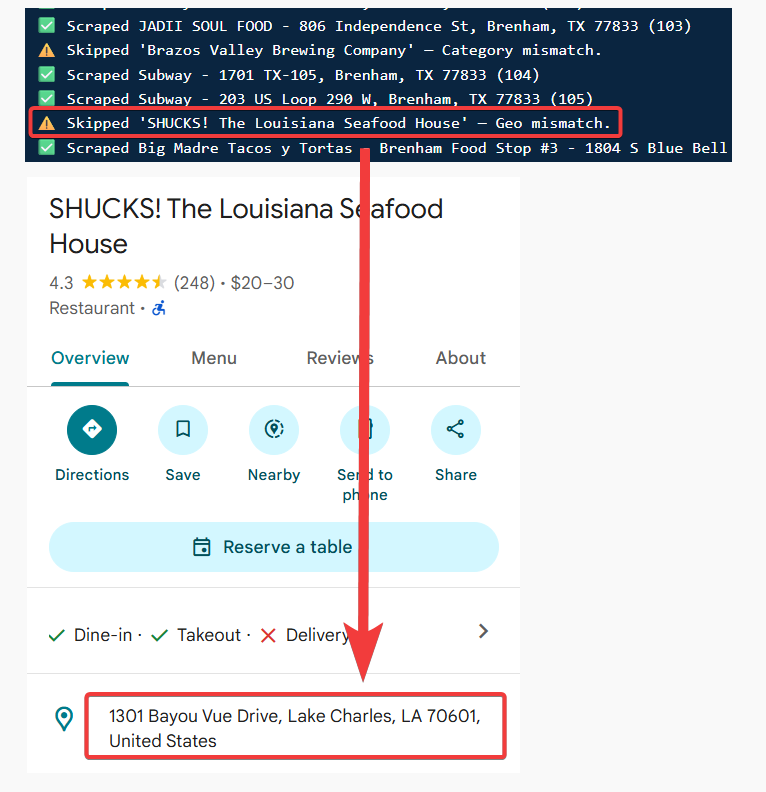
Geo Match runs at the crawl level, before results reach your output file. Because out-of-area listings are skipped before collection, they never count toward your billing.
How to enable it
Toggle Geo Match in your batch's Advanced settings — see how to enable filters for the full steps. It is on by default. Turned off, every business is kept, and those outside are flagged no_location_match in the No match reasons column.
Geo Match works alongside Category Match. You can use either, both, or neither — when both are on, a result has to pass both to be kept.